Kafka Topics
Similar to how databases have tables to organize and segment datasets, Kafka uses the concept of topics to organize related messages.
A topic is identified by its name.
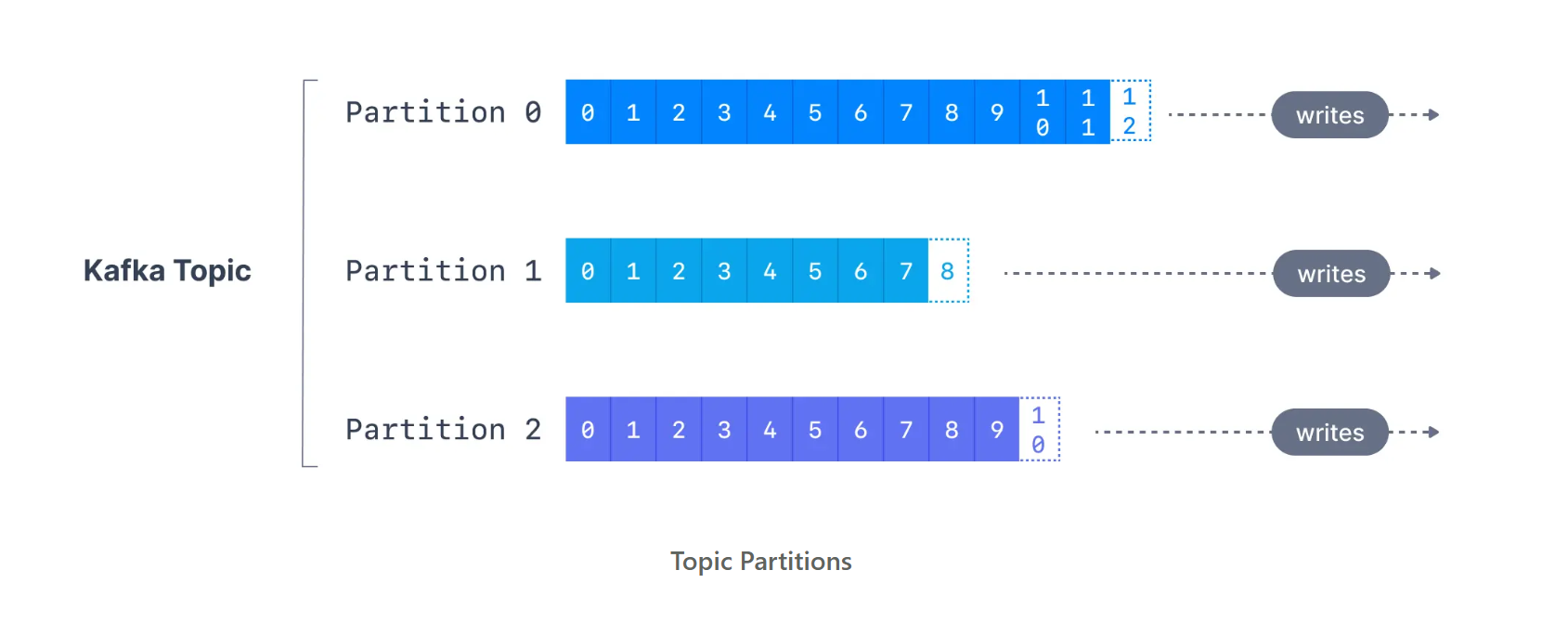
Kafka topics are immutable: once data is written to a partition, it cannot be changed.
Offset
- Once data is written to a partition, it cannot be changed (immutable)
- Data is kept for a limited time (default: 1 week, but configurable)
- An offset only matters within its own partition
- Example: Offset 3 in Partition 0 is different from Offset 3 in Partition 1
- Offsets are never reused, even if old messages are deleted
- Message order is guaranteed only within a partition (not across partitions)
- Data is assigned to partitions randomly, unless you provide a key
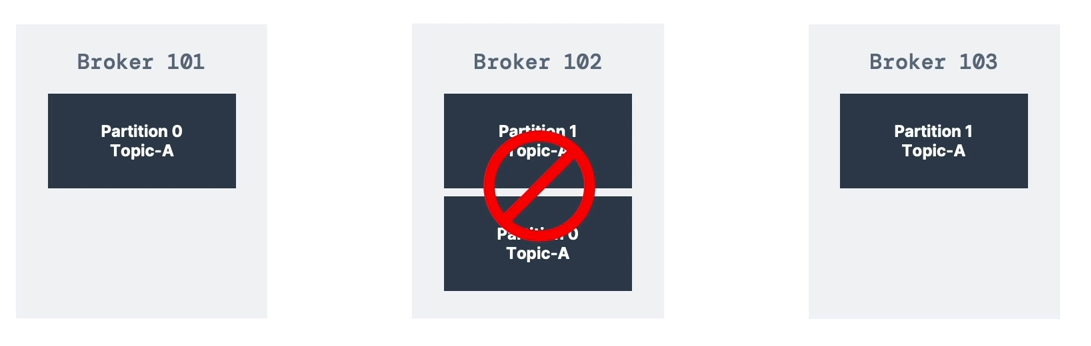
- You can have any number of partitions per topic
Topic Durability
- For a replication factor of 3, topic data durability can withstand the loss of 2 brokers
- As a rule: for a replication factor of N, you can permanently lose up to N−1 brokers and still recover your data
Kafka Topic Management (CLI)
Create a Kafka topic
kafka-topics.sh --create \
  --bootstrap-server <broker-host>:9092 \
  --topic <topic-name> \
  --partitions <num-partitions> \
  --replication-factor <RF>
List Kafka topics
kafka-topics.sh --list \
  --bootstrap-server <broker-host>:9092
Describe a Kafka topic
kafka-topics.sh --describe \
  --bootstrap-server <broker-host>:9092 \
  --topic <topic-name>
Increase partitions in a Kafka topic
kafka-topics.sh --alter \
  --bootstrap-server <broker-host>:9092 \
  --topic <topic-name> \
  --partitions <new-partition-count>
Delete a Kafka topic
kafka-topics.sh --delete \
  --bootstrap-server <broker-host>:9092 \
  --topic <topic-name>
Topics Naming Convention
Better to enforce a naming standard. Example (from CNR Blog):
Format:
<message_type>.<dataset_name>.<data_format>
Examples:
-
logging.user_activity.json -
tracking.page_views.avro
Message Types:
logging,queuing,tracking,etl/db,streaming,push,user
Data Format:
.avro,.json,.text,.protobuf,.csv,.log